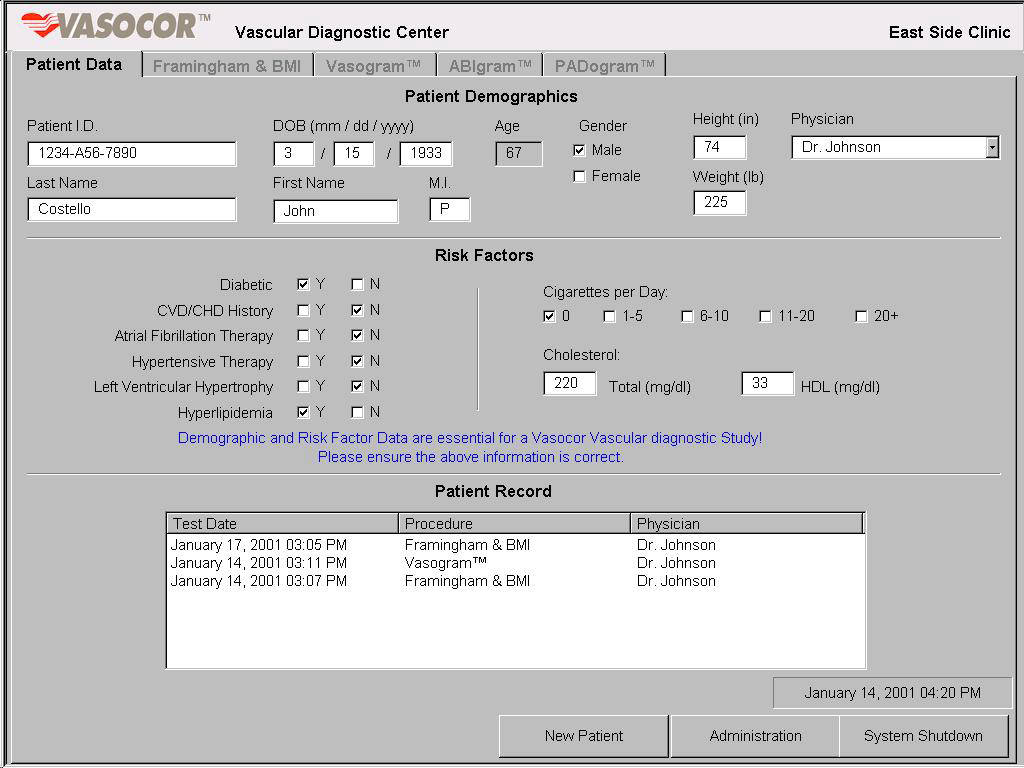
The InterCare Vascular Diagnostic Center provides the Patient Data screen as a means of admitting a patient and changing the patient information. Once all the patient has been properly admitted by properly entering their demographics, the Framingham, Vasogram, ABIgram and PADogram tests are available by selecting the appropriate tab at the top of the screen. For instance, if an ABIgram test is required, the joystick can be used to position the arrow over the ABIgram tab and press the joystick button. The InterCare Vascular Diagnostic Center unit should be placed in an unobstructed area of the examination room such that the investigator has easy access to the rear of the unit. The three-prong plug should be inserted into a standard electrical wall outlet. If available, a constant power source may be used and is preferred.